
Photo to sketch Online Free
Photo to Sketch
Transform your photos into beautiful sketches instantly
Drop your image here
or click to browse • PNG, JPG, WEBP
A Photo to sketch tool helps you turn a normal photo into a hand-drawn sketch style image using an online platform. It allows anyone to create artistic sketches without drawing skills, design software, or professional experience. With a Photo to sketch online free tool, you simply upload a photo, apply the sketch effect, and download the result in seconds.
In today’s digital world, visual creativity plays a big role. People want images that look unique, expressive, and personal. Sketch-style photos offer a creative alternative to regular images and are widely used for profile pictures, gifts, artwork, and digital content. A Photo to sketch tool makes this creative process easy, fast, and accessible to everyone.
Why Use a Photo to Sketch Online Free Tool
One of the biggest reasons people prefer a Photo to Sketch tool is its simplicity. You do not need drawing skills, design software, or expensive subscriptions. Everything happens online, directly in your browser. This makes photo to sketch conversion accessible to everyone, whether you are a student, content creator, artist, or casual user.
A good photo to sketch online free tool works by analysing light, shadows, edges, and textures in your image. It then recreates those details using sketch style strokes, usually resembling pencil or charcoal drawings. The result looks natural and artistic, not artificial or over-processed. This balance is important because users want sketches that feel hand-drawn, not computer-generated.
Another advantage of using a photo to sketch converter is speed. Traditional editing tools can take a lot of time, especially if you are not experienced. With an online tool, the entire process often takes only a few seconds. Upload your photo, apply the sketch effect, and download the final image instantly. This is especially useful for users working on tight deadlines or bulk projects.
Privacy is also a major concern for many users. A reliable photo to sketch online free tool does not store your images permanently. Photos are processed temporarily and then removed automatically. This gives peace of mind when converting personal photos, portraits, or client images.
Photo to sketch tools are widely used across different fields. Designers use them to create concept art and rough drafts. Social media creators use sketch images for profile pictures, thumbnails, and aesthetic posts. Bloggers and website owners use sketch-style visuals to add creativity to articles. Even teachers and students use photo to sketch images for presentations, assignments, and creative projects.
The quality of the original image plays an important role in the final sketch. Clear, high-resolution photos with good lighting usually produce better results. Images with strong contrast and visible facial features or object outlines convert more effectively into sketches. While the tool works with most image types, choosing the right photo can significantly improve the output.
Another helpful feature of advanced photo to sketch tools is customization. Some tools allow you to adjust sketch intensity, line thickness, brightness, or contrast. These options give users more control over the final look. Whether you want a soft pencil sketch or a bold artistic outline, small adjustments can make a big difference.
Using a photo to sketch converter can also save money. Many professional design tools require monthly payments, which are not practical for everyone. A free online tool removes that barrier completely. You get professional-looking results without spending anything, making it ideal for beginners and small creators.
From an SEO and content perspective, sketch images stand out visually. They attract attention and increase engagement on websites and social media platforms. People are naturally drawn to artistic visuals, and sketch-style images feel unique compared to regular photos. This makes photo to sketch images a smart choice for branding and creative marketing.
Overall, a photo to sketch online free tool is more than just a fun effect. It is a practical solution for creativity, productivity, and visual storytelling. Whether you are converting a portrait, a product image, or a landscape photo, the sketch effect adds a personal and artistic touch that enhances the original image.
What Is Photo to Sketch and Why It Is Popular
Photo to sketch is a digital image transformation process that converts real photos into sketch-like drawings. The final image often looks like it was created using pencil, charcoal, or hand-drawn lines. This effect highlights edges, shadows, and facial details while reducing colour and texture.
The popularity of Photo to sketch tools has grown because people enjoy artistic images without the effort of manual drawing. Not everyone has the time or skill to sketch by hand, but online tools remove that barrier. With just a few clicks, users can achieve results that look creative and professional.
Another reason for its popularity is versatility. Photo to sketch images can be used across many platforms, including social media, websites, presentations, and personal projects. The sketch effect adds emotion and personality, making images feel more meaningful than standard photos.
How a Photo to Sketch Online Free Tool Works
A Photo to sketch online free tool works through automated image processing. The system analyses your photo and applies sketch filters that mimic hand-drawn artwork.
The process usually follows these steps:
Upload your photo from your device
The tool analyses edges, contrast, and light
A sketch effect is applied automatically
Download the converted sketch image
Most tools work directly in your browser, so there is no need to install software. This makes Photo to sketch tools convenient for users on desktop, mobile, or tablet devices. Some tools also allow you to adjust sketch intensity, giving you control over how light or bold the sketch looks.
Because the process is automated, results are fast and consistent. Even users with no technical knowledge can create sketch images easily.
Common Uses of Photo to Sketch Images
A Photo to sketch image can be used in many creative and practical ways. Sketch effects often feel more personal and artistic, which makes them suitable for both casual and professional use.
Popular uses include:
Social media profile pictures
Personalised gifts and portraits
Posters and creative artwork
Blog images and thumbnails
School projects and presentations
Many people also use Photo to sketch tools to turn portraits into artistic prints. Sketch images are often printed and framed as gifts for birthdays, anniversaries, or special occasions. Content creators use sketch visuals to stand out on crowded platforms, as sketch images attract attention more easily than regular photos.
Because the output is digital, sketch images can be resized, shared, or printed without quality loss.
Tips to Get the Best Results from Photo to Sketch
To get high-quality results from a Photo to sketch tool, the quality of your original photo matters. Even the best tool works better with a clear input image.
Helpful tips include:
Use high-resolution photos
Avoid blurry or dark images
Choose photos with good lighting
Simple backgrounds work best
Portrait photos give stronger sketch effects
Photos with clear facial features usually produce the best sketch results. Strong contrast between the subject and background helps the tool detect edges more accurately. If the tool offers multiple sketch styles, try different options to see which one suits your image best.
Small adjustments can make a big difference in the final output.
Privacy and Safety When Using Photo to Sketch Online Free Tools
When using a Photo to sketch online free tool, image privacy is an important consideration. Reputable tools are designed to protect user data and ensure images are handled securely.
Trusted tools usually follow these practices:
Images are processed automatically
Files are not stored permanently
Images are deleted after conversion
No account or login is required
This makes online Photo to sketch tools safe for personal photos, including portraits and family pictures. However, it is always wise to use reliable platforms and avoid uploading sensitive or confidential images.
A transparent privacy policy is a good sign that the tool respects user trust and data protection.
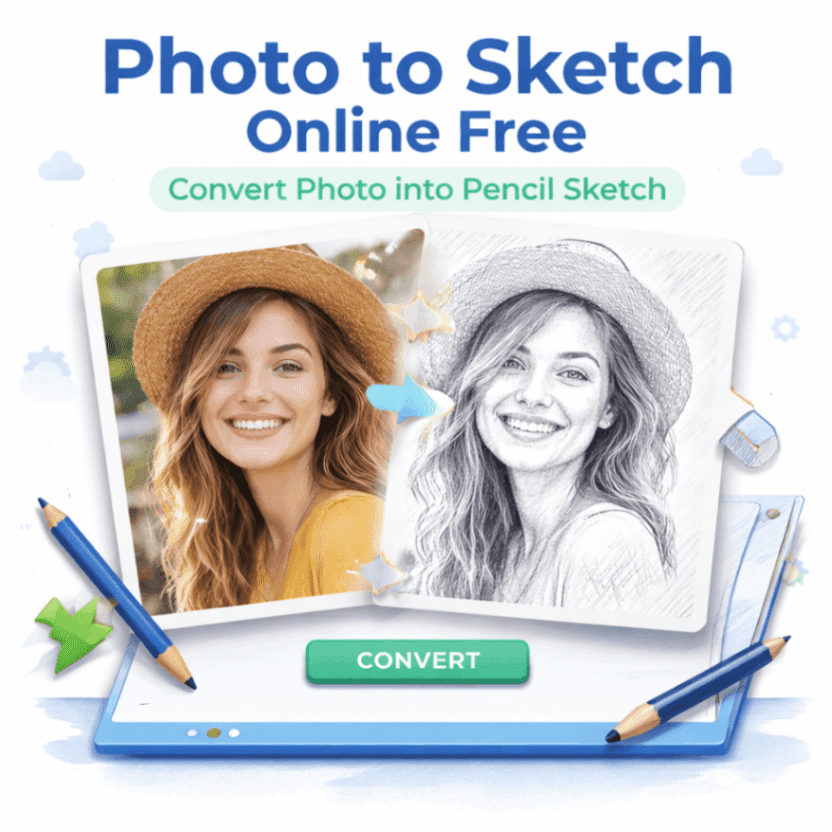
Photo to Sketch Online Free (FAQs)
Q1: What is Photo to sketch
Photo to sketch is a process that converts a normal photo into a sketch-style image using online tools.
Q2: Is Photo to sketch online free to use
Yes, many platforms offer Photo to sketch online free without registration.
Q3: Do I need drawing skills to use Photo to sketch
No, the process is automatic and requires no artistic skills.
Q4: Which photos work best for Photo to sketch
Clear, high-resolution photos with good lighting give the best results.
Q5: Can I download and share Photo to sketch images
Yes, converted sketch images can be downloaded and shared easily.
Q6: Is it safe to upload photos to a Photo to sketch tool
Trusted tools process images securely and delete them after conversion.
Conclusion
A Photo to sketch online free tool is a simple and creative way to transform ordinary photos into artistic sketches. It saves time, removes creative limitations, and allows anyone to create visually appealing images without effort. Whether for social media, personal gifts, education, or creative projects, Photo to sketch tools offer a practical and accessible solution.
If you want to add creativity to your photos without complexity, using a Photo to sketch tool is a smart and easy choice.