
Resize Images Online - Resize JPG, BMP, GIF, PNG image
An Image Resizer is an essential online tool for anyone who works with images on a regular basis. Whether you manage a website, run an online store, write blog posts, or simply want to share images online, image size plays a very important role. Large images can slow down websites, cause upload issues, and create a poor user experience. A reliable Image Resizer online free helps solve these problems quickly and safely.
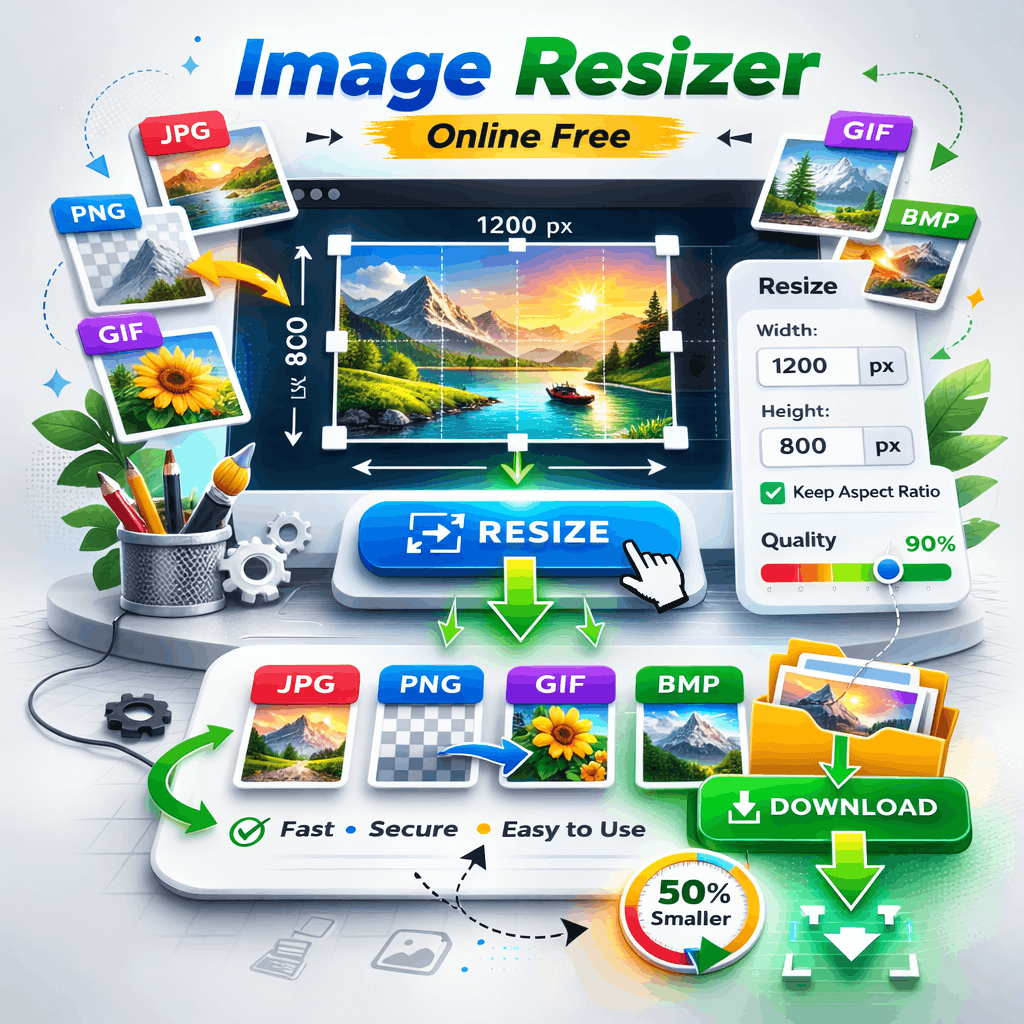
This free tool allows you to resize JPG, BMP, GIF, and PNG images directly in your browser. There is no need to install software or create an account. All processing happens on your device, which means your files never leave your system. You simply drop your images, resize them, adjust quality if needed, and save the optimized version in seconds.
What Is an Image Resizer and How It Works
An Image Resizer is a tool that changes the dimensions of an image, such as width and height, without affecting its basic appearance. Resizing does not mean editing or redesigning the image. It simply makes the image larger or smaller to fit a specific requirement.
Most online platforms have image size limits. Social media, websites, email attachments, and forms often reject large images. Using an Image Resizer helps you meet those requirements without losing clarity.
The working process is simple:
Upload or drop your image
Enter the desired width or height
Keep the aspect ratio to avoid stretching
Click resize
Download the resized image
This tool also optimizes the image during resizing. That means the final file size is smaller, making it easier to upload and faster to load on websites.
Why Image Size Matters for Websites and Online Use
Image size directly affects website performance and usability. Large images take longer to load, especially on mobile devices and slow networks. This can frustrate users and cause them to leave your site.
Here are some common problems caused by large images:
• Slow website loading speed
• High bounce rate
• Poor mobile performance
• Increased data usage
• Lower search engine rankings
Using an Image Resizer before uploading images helps prevent these issues. Smaller images load faster, improve user experience, and make your website more efficient.
Search engines also consider page speed as a ranking factor. Optimized images contribute to better SEO and improved visibility in search results.
Supported Image Formats in This Image Resizer
This Image Resizer online free supports all commonly used image formats, making it suitable for almost every user.
JPG / JPEG
JPG images are widely used for photographs. They offer good quality with reasonable file size. Resizing JPG images helps reduce file size further without noticeable quality loss.
PNG
PNG images are commonly used for logos, icons, and images with transparency. This Image Resizer maintains transparency while resizing PNG files.
GIF
GIF images are often used for simple graphics and animations. Static GIF images can be resized easily for faster loading.
BMP
BMP images are large and not very web-friendly. Resizing BMP files makes them easier to share and upload.
By supporting multiple formats, this Image Resizer works well for bloggers, designers, students, and business owners.
Resize Images Without Losing Quality
One common concern people have is image quality. A good Image Resizer reduces dimensions while keeping the image sharp and clear.
This tool uses smart resizing and optimization techniques to maintain quality. You also get the option to adjust image quality manually. This gives you control over how much compression is applied.
Best practices for quality resizing:
• Always keep aspect ratio enabled
• Do not reduce dimensions too much
• Adjust quality slowly, not aggressively
• Preview the image before saving
By following these tips, you can resize images without noticeable quality loss.
Image Resizer for Mobile, Tablet, and Desktop Users
This Image Resizer is fully responsive and works smoothly on all devices. The interface automatically adapts to different screen sizes.
Mobile users can resize images directly from their phone without installing apps. Tablet users get a clean and touch-friendly layout. Desktop users benefit from fast performance and batch resizing.
Because the tool runs in the browser, it works on all modern devices and operating systems.
Privacy and Security While Resizing Images Online
Privacy is a major concern when using online tools. Many tools upload images to servers, which can be risky for personal or professional files.
This Image Resizer online free is built with privacy in mind:
• All processing happens in your browser
• Images are never uploaded to any server
• No login or registration required
• Files are not stored or shared
This makes the tool safe for personal photos, work documents, and client images. You stay in full control of your data at all times.
Common Use Cases for an Image Resizer
An Image Resizer is useful in many everyday situations.
Some common use cases include:
• Resizing blog images before publishing
• Optimizing product images for online stores
• Preparing images for social media uploads
• Reducing image size for email attachments
• Adjusting images for forms and applications
By resizing images properly, you avoid upload errors and ensure compatibility across platforms.
How Image Resizing Helps SEO and Performance
Image resizing plays an important role in website optimization. Large images increase page size and slow down loading times. This negatively affects SEO and user experience.
Benefits of using an Image Resizer for SEO:
• Faster page loading
• Better Core Web Vitals scores
• Improved mobile usability
• Lower bounce rate
• Higher search engine trust
Search engines prefer websites that load quickly and provide a smooth experience. Properly resized images help meet these expectations.
Tips for Best Results When Using an Image Resizer
To get the most out of this Image Resizer, follow these simple tips:
• Resize images before uploading to your website
• Use the correct image format
• Keep aspect ratio enabled
• Avoid resizing the same image multiple times
• Always keep a backup of original files
These small habits can make a big difference in performance and image quality.
Frequently Asked Questions
Q1: What is an Image Resizer?
An Image Resizer is an online tool that allows you to change the width and height of an image without editing its content. It helps reduce image size for faster uploads, better website performance, and easy sharing across platforms.
Q2: Is this Image Resizer free to use?
Yes, this Image Resizer online free tool can be used without any cost. There is no sign-up, subscription, or hidden fee involved.
Q3: Which image formats are supported?
This Image Resizer supports popular formats including JPG, JPEG, PNG, GIF, BMP, WebP, and SVG. You can resize most commonly used images without converting them first.
Q4: Will resizing images reduce quality?
Resizing images does not significantly reduce quality when done correctly. This tool uses smart optimization to maintain clarity. You can also adjust image quality manually for better control.
Q5: Are my images safe while using this tool?
Yes, your images are completely safe. All resizing and optimization happens directly in your browser. Files are not uploaded to any server, stored, or shared with anyone.
Q6: Can I use this Image Resizer on mobile devices?
Absolutely. The Image Resizer is fully responsive and works smoothly on mobile phones, tablets, and desktop devices. No app installation is required
Q7: Do I need to create an account to resize images?
No account or login is needed. You can simply upload or drop your image, resize it, and download the final version instantly.
Conclusion: Resize Images Online Free with Ease
An Image Resizer online free is a simple yet powerful tool for managing image size efficiently. It allows you to resize JPG, BMP, GIF, and PNG images quickly while maintaining quality and privacy.
With this tool, you can drop your images, resize them, adjust quality, and download the optimized versions in seconds. No software installation, no sign-up, and no risk to your data.
If you want faster websites, smoother uploads, and better image control, using an Image Resizer should be part of your regular workflow. Resize your images the right way and enjoy better performance across all platforms.